Why is my website so slow? Find what’s costing you inquiries
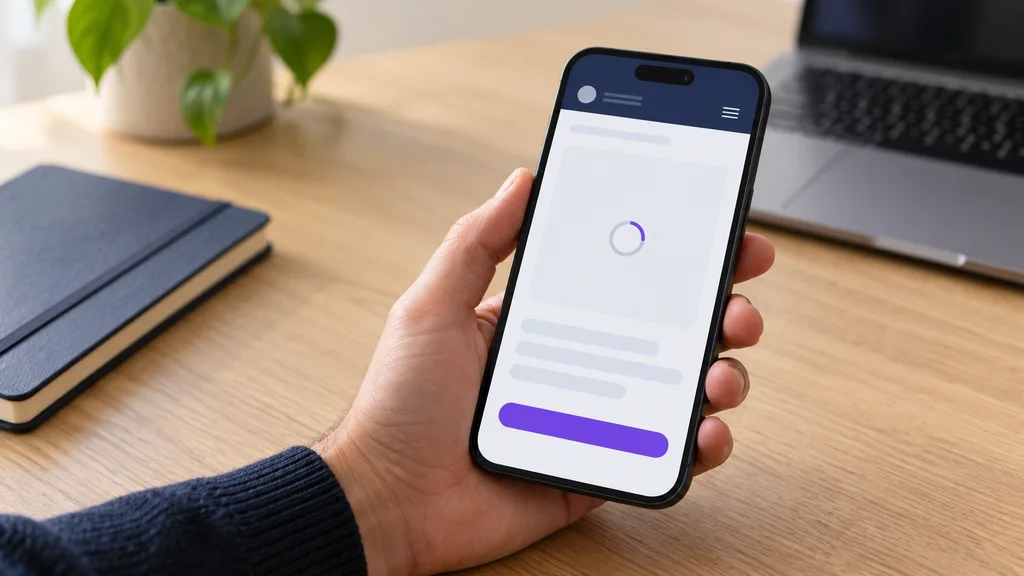
“Why is my website so slow?” becomes a business problem when someone trying to hire you cannot open your service page, use the mobile menu, or request a quote. You have already done the work of getting their attention. Now the website is making the next step difficult.
The short answer: a slow website can be held up by its server, the content it downloads, or the work your visitor’s browser must do. Large images and unnecessary scripts are common places to investigate. But a page can also appear quickly while its menu, form, or booking tool leaves customers waiting. Google’s guidance distinguishes loading performance from responsiveness to interaction.
Before buying faster hosting or another optimization plugin, find which customer action is delayed. This guide helps you test that journey, read the evidence, and decide what deserves your money.
Why is my website so slow when it seems fine on my laptop?
Your own visit is only one set of conditions. A customer may arrive on a phone, over a different connection, and on a service page you rarely check. Repeat visits can also reuse files already stored by the browser. Chrome’s documentation explains why developers disable the browser cache to emulate a first-time visit.
Start by narrowing the problem. These observations guide an investigation; they do not prove a technical cause.
| What you notice | A useful next check |
|---|---|
| Several unrelated websites are slow on the same device | Compare another device and connection before paying for changes to your site. |
| Your site is slow across devices and connections | Give your developer the affected URLs and repeatable examples. |
| The homepage is fine, but a service page struggles | Test that exact page and its unique content or integrations. |
| The page appears, but tapping the menu or quote button feels unresponsive | Record the interaction as well as the initial load. |
| Your pages work, but the appointment tool keeps spinning | Test the handoff into the booking provider and its eventual confirmation. |
For a plumber, the important page might be the emergency service landing page. For a dental practice, it might be the treatment page followed by an appointment request. Choose the route a prospective customer actually takes.
Test the path from landing page to inquiry
You do not need to diagnose code yourself. Your job is to collect a clear example that someone can investigate.
Choose your main customer entry page, one important service page, and the contact or booking destination. On a phone, follow the task from start to finish. Repeat on mobile data and Wi-Fi where available, noting the conditions rather than treating either as a universal benchmark.
- 01
See the service
Useful information appears before the customer has to guess what you offer.
Check: can I tell this service is for me?
- 02
Find the next step
The menu, phone number, and inquiry action are easy to reach.
Check: can I reach the contact action?
- 03
Get a response
A tap gives clear feedback, without making the customer tap again.
Check: did the page react to my tap?
- 04
Complete the inquiry
The form or booking finishes and reaches the intended recipient.
Check: did the test inquiry arrive?
Test all four steps. A fast first screen is only the start.
That last distinction matters. A button reacting quickly does not establish that a message was delivered. INP, Google’s responsiveness metric, measures the delay until visual feedback; it does not measure every later network request or final result. See Google’s explanation of what INP measures.
Use non-sensitive test details and coordinate with whoever receives inquiries. If your site prepares an email draft instead of sending a form, check that the draft opens correctly and that the customer understands they must send it.
Save a short screen recording and a note like this:
Page: [paste the exact URL]. Device/browser: [details]. Connection: [Wi-Fi or mobile data]. Date: [date]. Cookie choice: [accepted or declined, if applicable]. Task: open the service page, tap Request a quote, and complete the form. Problem: [describe the wait or failure]. Evidence: [recording and report links].
This gives your developer something more useful than “the website feels slow.” It also gives you a task to repeat after the repair.
Read your speed report without mistaking a score for a sale
Run the affected URLs through PageSpeed Insights, looking at mobile and desktop separately. Save the reports before changes begin.
The report contains two different kinds of evidence. Real-user data summarizes eligible Chrome visitors over the previous 28 days. Lab data simulates a visit under controlled conditions and helps investigate problems. Google explains the distinction in its PageSpeed Insights documentation.
Check whether the real-user section describes this URL or the whole origin, meaning the website across its pages. When a page has too few samples, the report can fall back to origin data. Sometimes neither has enough data. Missing data is not a pass or a failure, and a sitewide result does not establish how one specific service page performs.
A visual guide to Core Web Vitals
Does it load, respond, and stay put?
Google’s good thresholds measure loading, responsiveness, and visual stability.
Does it appear?
Largest Contentful Paint (LCP)
≤ 2.5 seconds
When the largest visible image or text block appears.
Does it respond?
Interaction to Next Paint (INP)
≤ 200 ms
The delay until visual feedback after an interaction. It does not measure final delivery.
Does it stay put?
Cumulative Layout Shift (CLS)
≤ 0.1
Unexpected layout movement. This is a score, not a time measurement.
These targets are assessed at the 75th percentile, separately for mobile and desktop. They are experience measures, not a countdown after which every customer leaves. The definitions and thresholds come from Google’s Web Vitals guidance.
Use the report alongside your inquiry test. A good score cannot confirm that your phone number is correct, your offer is clear, or your booking provider has received an appointment request.
Website speed optimization: ask for the bottleneck before the fix
A useful proposal connects the symptom to evidence and then to a change. Ask your developer to explain which stage is holding things up.
If useful content takes too long to appear: ask them to separate the wait for the initial page response from the download and display of the main content. A smaller image alone may not solve a delay that occurs before that image is requested. Google’s LCP optimization guide breaks down that loading sequence.
If the page looks ready but feels stuck: ask them to reproduce the slow menu, button, or form interaction, including while the page is still loading. Google’s INP optimization guidance recommends investigating actual interactions and the browser work delaying them.
If an embedded tool is involved: ask what must load immediately and what could wait until needed. Google’s third-party JavaScript guidance recommends removing scripts without clear value and loading necessary ones more efficiently.
For your business, that means making a deliberate choice about each map, chat widget, review feed, video, and booking tool. Keep the functions customers need; investigate the cost of delivering them. Have changes checked in a preview before removing anything from the live site.
Ask for these four items in the proposed work:
- The affected page and customer action, with evidence of the delay.
- The specific change and why it should address that delay.
- A check that forms, booking, and agreed measurement still work afterward.
- A way to restore the previous version if the change causes a problem.
How to improve mobile website speed where it matters
Make your mobile customer task the acceptance test for the work. If a customer is trying to request an urgent repair, prioritize reaching the service details and contacting you over polishing an animation further down the page.
Agree on the conditions before comparing results: the same URLs, device or device class, connection or lab settings, and cookie choices. Repeat the task and save the new reports. A test on an office laptop should not be presented as the after-result for a problem recorded on a phone.
Check the first visit and a return visit. For a more controlled first-visit comparison, ask your developer to use the browser-cache controls described earlier and document the setup. Treat a casual stopwatch check as a way to spot friction, not as a replacement for diagnostic tools.
After a repair, the historical real-user report will still include visits from before the change until its 28-day window moves forward. Use repeatable immediate checks to confirm the repair, then monitor the field evidence as it accumulates.
Give someone responsibility for retesting after new photos, widgets, campaigns, or booking tools are added. Website speed optimization needs to survive the next routine update.
Is your slow website actually costing you customers?
A stalled inquiry is a business problem even when you cannot put a reliable revenue figure on it. Someone who gives up before contacting you leaves no sales conversation explaining why they left.
Start with what you can check: which pages bring relevant visitors, whether people complete the inquiry process, and whether those inquiries are qualified. Distinguish a contact-button click from a received inquiry, and a received inquiry from a customer who buys.
Record the repair date. Compare performance and inquiry patterns over a period appropriate to your traffic, noting campaign changes, seasonality, pricing, and availability. An improvement after a repair is useful evidence, but it does not isolate speed as the only cause. With few inquiries, individual changes can move the figures sharply.
Ask for two kinds of progress: a demonstrably easier customer task and business measurement you can interpret. Avoid buying a promised percentage increase based on another company’s results.
Will a faster website put me at the top of Google?
Google uses Core Web Vitals in its ranking systems, but explicitly says good results do not guarantee top rankings. Its page experience guidance also discourages chasing a perfect score purely for SEO. Speed belongs alongside useful service content and a clear website structure.
Should you repair the website or rebuild it?
Repair first
The website still supports your business, with a specific problem to address.
- One troublesome image or embed
- Clear service pages and contact path
- A change you can test and reverse
Ask for a targeted fix, its cost, and a repeatable before-and-after test.
Compare a rebuild
Several parts of the customer experience or ongoing upkeep need attention.
- Routine edits keep undoing repairs
- Service and inquiry journeys need redesign
- Maintenance responsibilities are unclear
Compare the scope and total cost of repairs with a planned replacement.
Whichever route you choose, retest the same mobile inquiry journey.
A framework name alone does not settle the decision. A Next.js site still needs careful implementation; moving platforms does not automatically make a heavy page fast. Likewise, using WordPress does not prove your site needs replacing. Include essential integrations, content migration, hosting, and ongoing care in the comparison.
If your current site also depends on PHP, read our PHP cyber-security update for WordPress businesses. It explains a separate maintenance concern and how a PHP-free replacement changes that dependency. Slow loading is not evidence of a security breach. Keep existing systems patched while any replacement is planned.
A high-performance website built around your next inquiry
If your business needs a complete replacement, Ranking Assist’s High-Performance Website Design service brings the design, copy, development, and launch into one agreed project.
Here is how the build addresses the problems in this guide:
- Lean pages, optimized images, and responsive development put mobile performance into the build from the start.
- Custom design and copy written around your services help visitors understand what you offer and find a relevant next step.
- Inquiry forms, agreed tracking, and pre-launch checks make the route to contacting you part of the work.
- Page metadata, structured data, internal links, and a sitemap give your service content a sound search foundation.
- Existing URL review and redirect planning account for the move from your current website.
- Ownership of your code and content gives your business control over its website and future provider choices.
The replacement is a custom PHP-free Next.js website without a WordPress page-builder plugin stack. That removes those dependencies from the new site; any retained PHP systems still need maintenance. Every technology needs ongoing care, and performance depends on the finished implementation and integrations.
This week, record one difficult mobile inquiry journey on your current site. Save the exact page address and show where the customer gets stuck. Then explore the High-Performance Website service or send Ranking Assist your website address and the problem you want to solve. That gives us a concrete starting point for discussing whether a rebuild fits your business.
Keep reading
Why Is SEO Important for Small Businesses? The AI-Era Answer
An honest guide for business owners: what SEO does, how AI search changes it, when it shouldn’t come first, and how to judge it by inquiries and customers.
PHP cyber-security update: The National Security Agency warning for WordPress
WordPress businesses need to act on the PHP warning. See the immediate checks to make and how a PHP-free Ranking Assist website changes the longer-term picture.